This comprehensive guide will demystify the various techniques for iterating over a Java Map, focusing on the fundamental Iterator interface, exploring modern Java 8 approaches, and addressing common challenges such as concurrent modification.
Understanding how to iterate efficiently and safely is not just about writing functional code; it’s about writing performant, robust, and maintainable Java applications. Let’s embark on this journey to master Java Map iteration.
Why Iterators for Maps?
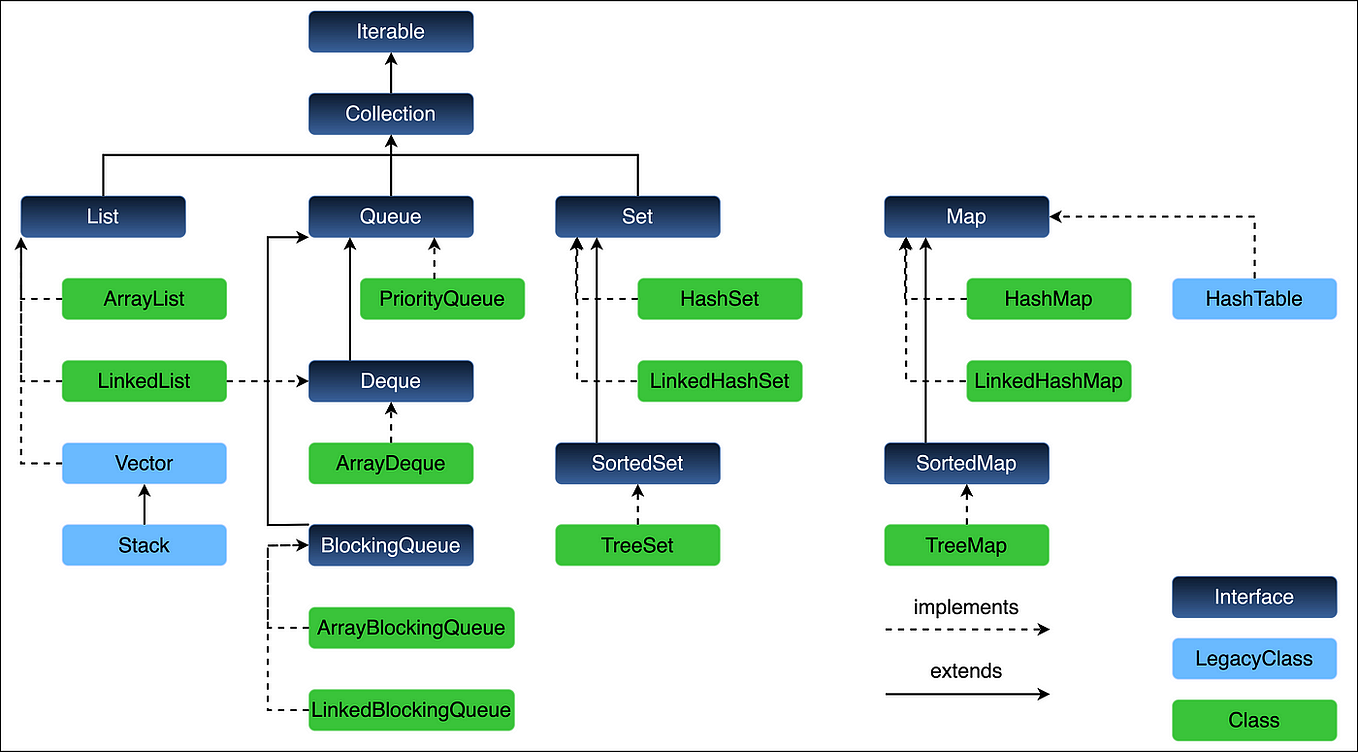
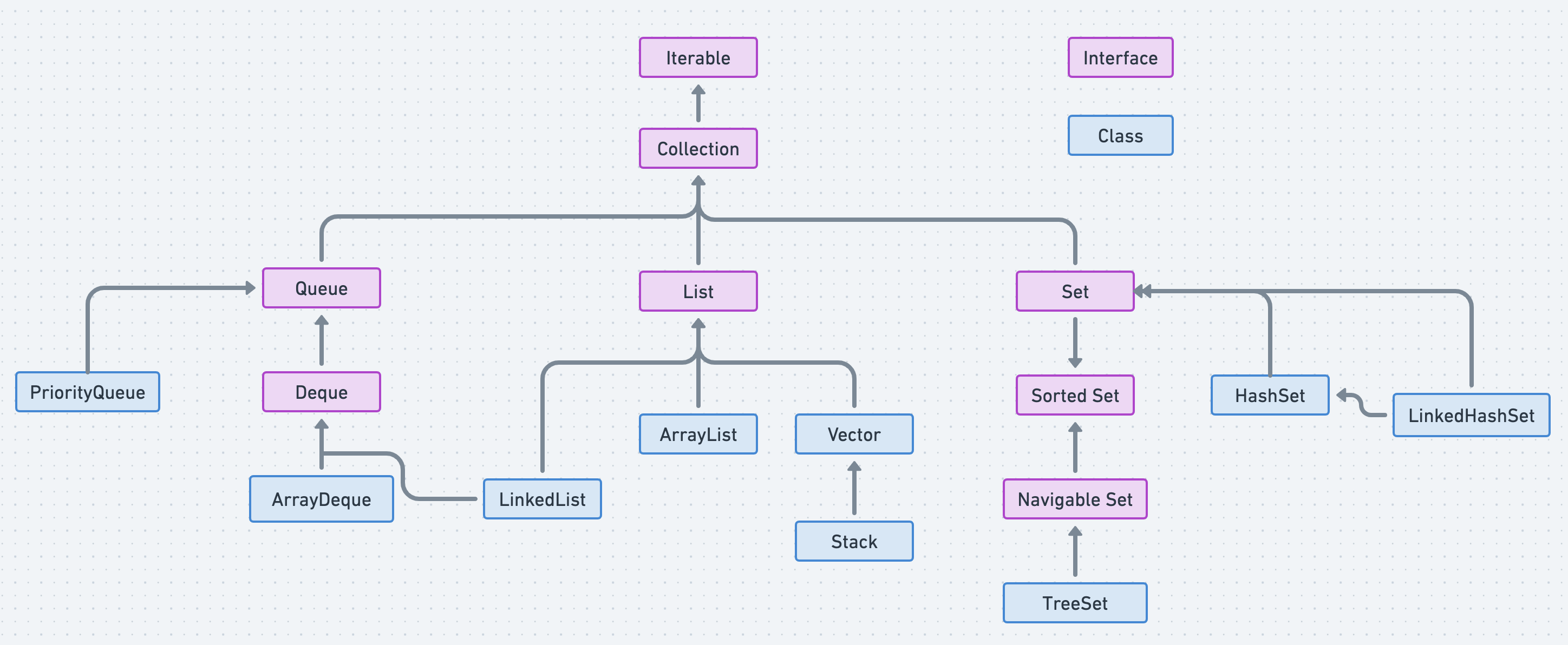
Before diving into the ‘how,’ it’s essential to understand the ‘why.’ An Iterator in Java is an interface that provides a standard way to traverse a collection and remove elements during iteration. For maps, since they store distinct key-value pairs, you cannot directly iterate over the map object itself. Instead, you iterate over one of its views: the set of keys, the collection of values, or the set of key-value mappings (entries).
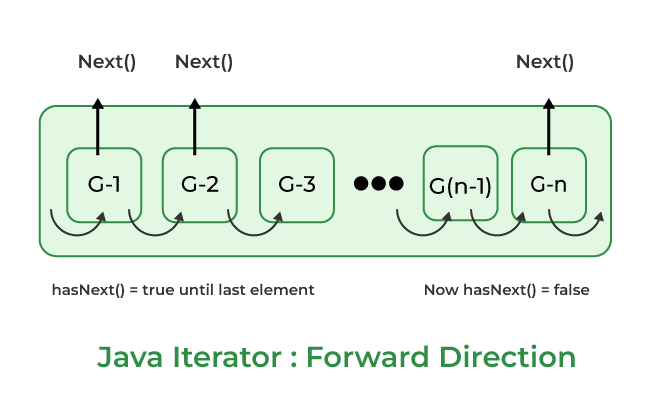
hasNext(): Returnstrueif the iteration has more elements.next(): Returns the next element in the iteration.remove(): Removes from the underlying collection the last element returned by this iterator (optional operation).
These methods provide fine-grained control over the iteration process, which is particularly useful for complex scenarios and safe modification.
Iterating Over Map Entries (entrySet())
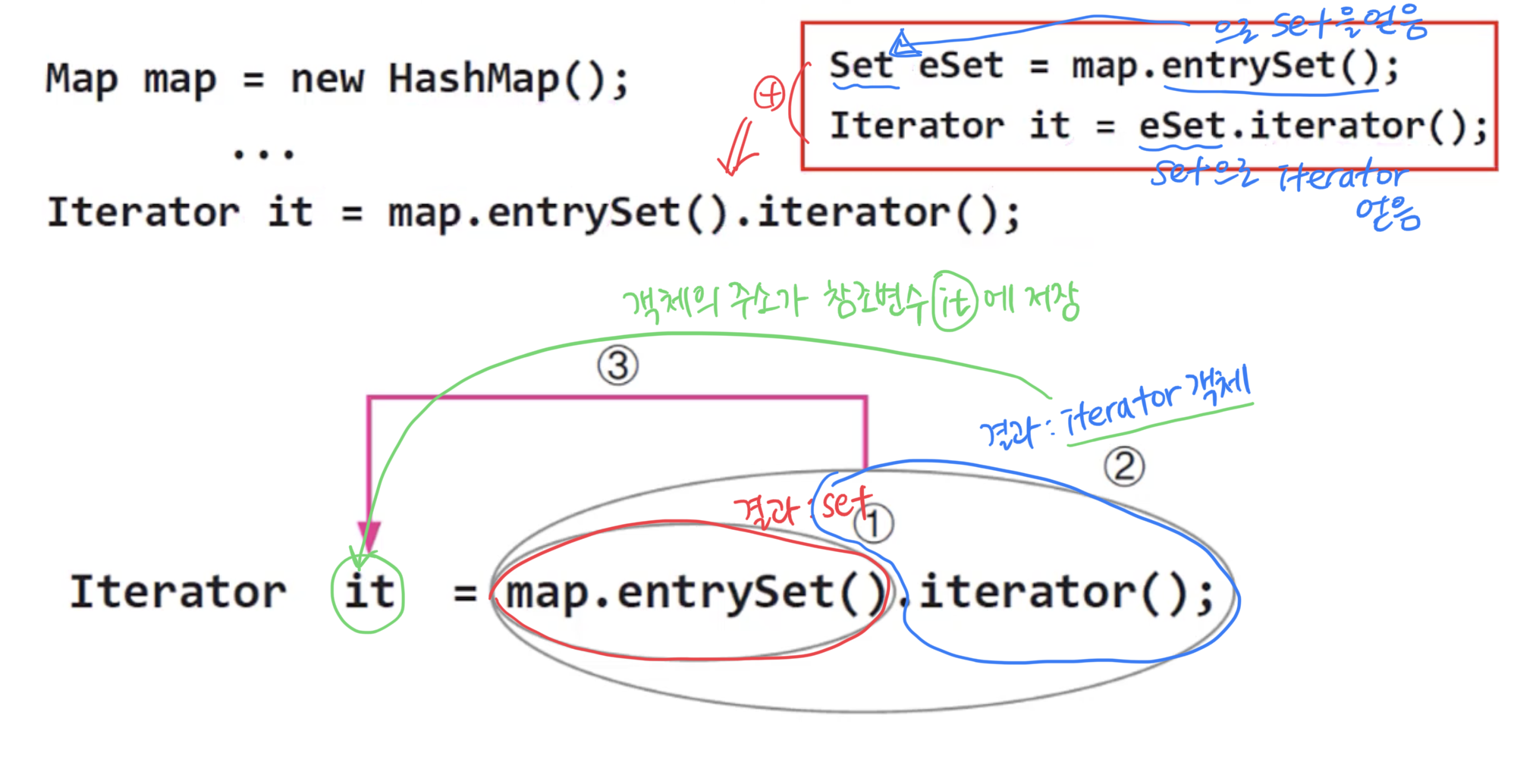
The most common and often recommended way to iterate over a Java Map is by using its entrySet(). The entrySet() method returns a Set of Map.Entry<K, V> objects. Each Map.Entry object represents a single key-value pair within the map, allowing you to access both the key and its corresponding value efficiently.
This approach is generally preferred when you need to work with both the key and the value during iteration, as it avoids redundant lookups.
Map<String, Integer> studentScores = new HashMap<>();
studentScores.put("Alice", 95);
studentScores.put("Bob", 88);
studentScores.put("Charlie", 92);

Iterator<Map.Entry<String, Integer>> entryIterator = studentScores.entrySet().iterator();

while (entryIterator.hasNext())
    Map.Entry<String, Integer> entry = entryIterator.next();
    System.out.println("Student: " + entry.getKey() + ", Score: " + entry.getValue());
Using the Enhanced For-Loop (For-Each) with entrySet()
While the explicit Iterator provides maximum control, for simple read-only traversals, the enhanced for-loop (or for-each loop) offers a more concise and readable syntax. It internally uses an Iterator but abstracts away the explicit hasNext() and next() calls.
for (Map.Entry<String, Integer> entry : studentScores.entrySet())
    System.out.println("Student: " + entry.getKey() + ", Score: " + entry.getValue());
This is often the go-to method for iterating over map entries when no modifications are needed.
Iterating Over Map Keys (keySet())
If your primary interest lies solely in the keys of the map, you can use the keySet() method. This method returns a Set containing all the keys present in the map.
Iterator<String> keyIterator = studentScores.keySet().iterator();

while (keyIterator.hasNext())
    String key = keyIterator.next();
    System.out.println("Student Name: " + key);
Using the Enhanced For-Loop with keySet()
for (String key : studentScores.keySet())
    System.out.println("Student Name: " + key);
Important Note: If you need both the key and the value, iterating over keySet() and then calling map.get(key) for each key is generally less efficient than using entrySet(), as map.get(key) involves an additional lookup operation for each key.
Iterating Over Map Values (values())
When you only need to process the values stored in the map, the values() method is your best bet. It returns a Collection view of the values contained in the map.
Iterator<Integer> valueIterator = studentScores.values().iterator();

while (valueIterator.hasNext())
    Integer score = valueIterator.next();
    System.out.println("Score: " + score);
Using the Enhanced For-Loop with values()
for (Integer score : studentScores.values())
    System.out.println("Score: " + score);
Safe Modification During Iteration: The `Iterator.remove()` Method
One of the most powerful features of the explicit Iterator is its remove() method. This method allows you to safely remove elements from the underlying map during iteration without encountering a ConcurrentModificationException.
Attempting to modify a collection (add or remove elements) directly using the map’s remove() method while iterating with an enhanced for-loop or a simple Iterator without using iterator.remove() will typically result in a ConcurrentModificationException. This is because the underlying structure of the map is altered in a way that the iterator cannot track, leading to unpredictable behavior.
Iterator<Map.Entry<String, Integer>> entryIterator = studentScores.entrySet().iterator();

while (entryIterator.hasNext())
    Map.Entry<String, Integer> entry = entryIterator.next();
    if (entry.getValue() < 90)  // Remove students with scores less than 90
        System.out.println("Removing student: " + entry.getKey());
        entryIterator.remove(); // Safely removes the current entry


System.out.println("Updated Scores: " + studentScores);
This is a critical best practice when you need to filter or modify a map based on its contents during traversal.
Modern Java 8 Approaches: Stream API and forEach()
With the advent of Java 8, new, more functional ways of iterating and processing map data became available, leveraging the Stream API and lambda expressions.
Using `forEach()` with a BiConsumer
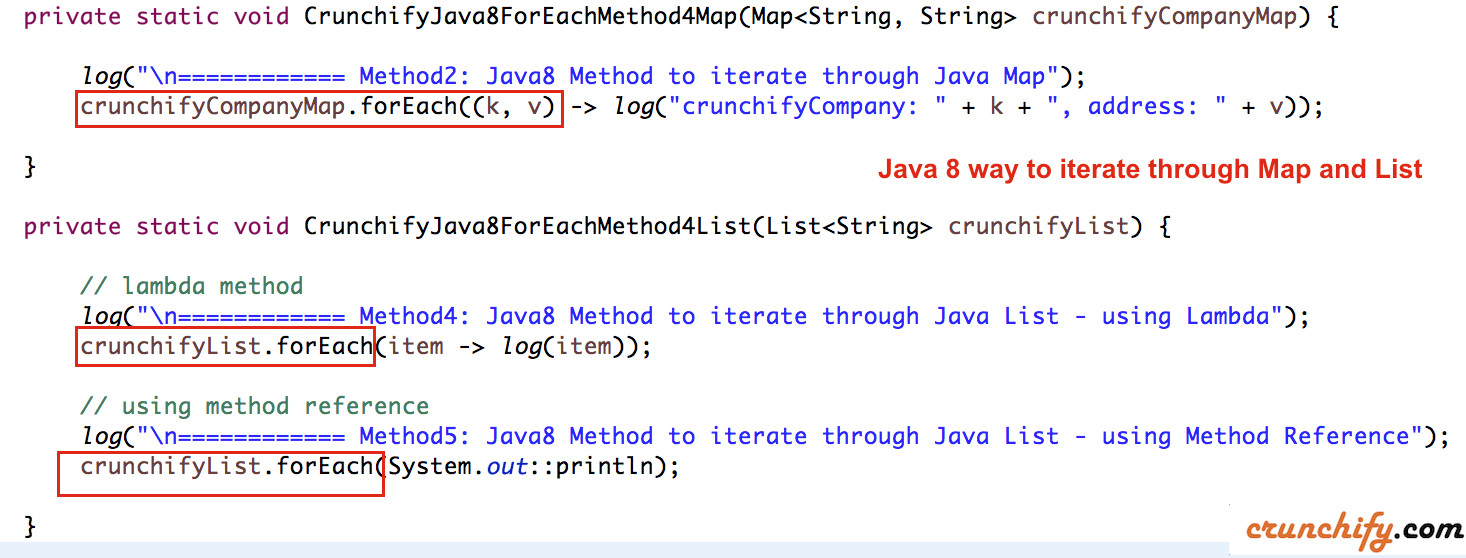
The Map interface itself provides a forEach() method that accepts a BiConsumer functional interface. This is a highly concise way to iterate over key-value pairs for read-only operations.
studentScores.forEach((key, value) ->
    System.out.println("Student: " + key + ", Score: " + value);
);
This method is excellent for simple actions on each entry and is very readable.
Using Stream API for More Complex Operations
For more complex transformations, filtering, or aggregations, you can convert the map’s entrySet() into a stream. This unlocks the full power of the Stream API.
// Filter students with scores above 90 and print them
studentScores.entrySet().stream()
    .filter(entry -> entry.getValue() > 90)
    .forEach(entry -> System.out.println("High Scorer: " + entry.getKey() + ", Score: " + entry.getValue()));

// Collect keys of high scorers into a List
List<String> highScorerNames = studentScores.entrySet().stream()
    .filter(entry -> entry.getValue() > 90)
    .map(Map.Entry::getKey)
    .collect(Collectors.toList());
System.out.println("High Scorer Names: " + highScorerNames);
The Stream API offers a declarative style, making code more expressive and often more parallelizable.
Common Pitfalls and Best Practices
ConcurrentModificationException: As discussed, avoid modifying the map directly (e.g., `map.remove()`) within an enhanced for-loop or a traditional `Iterator` loop. Always use `iterator.remove()` for safe modifications.- Choosing the Right View: Use `entrySet()` when you need both key and value. Use `keySet()` or `values()` when you only need keys or values, respectively, to avoid unnecessary object creation or lookups.
- Performance Considerations: For large maps, `entrySet()` is generally more efficient than `keySet()` followed by `map.get()` calls if both key and value are needed. Java 8’s `forEach()` and Stream API are highly optimized.
- Read-Only vs. Modifiable: For read-only iterations, the enhanced for-loop or Java 8’s `forEach()` are often the most concise. For modifications, the explicit `Iterator` with `remove()` is essential.
- Fail-Fast Iterators: Most standard Java Collection iterators (including those for `HashMap`, `TreeMap`, etc.) are fail-fast. This means they will throw a `ConcurrentModificationException` immediately if structural modifications are detected during iteration, preventing indeterminate behavior.
- Fail-Safe Iterators: Collections in the `java.util.concurrent` package, like `ConcurrentHashMap`, provide fail-safe iterators. These iterators operate on a snapshot of the collection at the time the iterator was created and do not throw `ConcurrentModificationException`. However, they might not reflect changes made to the collection after the iterator was created.
Conclusion
Mastering Java Map iteration is fundamental for effective data processing. We’ve explored the classic Iterator approach using entrySet(), keySet(), and values(), highlighting the critical role of Iterator.remove() for safe modifications.
Furthermore, we delved into the modern Java 8 forEach() method and the powerful Stream API, which offer concise and expressive ways to process map data, especially for read-only and complex transformation scenarios.
By understanding these different techniques and adhering to best practices, particularly regarding concurrent modification, developers can write robust, efficient, and maintainable code when working with Java Maps. Choose the iteration method that best fits your specific requirements for accessing or modifying your valuable key-value data.
Remember, the right tool for the job leads to cleaner code and fewer headaches. Happy coding!